Introduction
कुछ समय पहले मेरा छोटा भाई मुझसे पूछ रहा था, “भाई, मैं पढ़ाई के साथ-साथ वीडियो जनरेशन भी सीखना चाहता हूँ। क्या ऐसा AI tool है जिससे मैं आसानी से videos बना सकूँ और उन्हें Facebook और Instagram पर upload कर सकूँ?
उसकी बात सुनकर मैंने सोचा कि अगर कोई beginner बिना camera, actors और complicated editing setup के AI videos बनाना चाहता है, तो उसे ऐसा tool चाहिए जिसमें video generation के साथ AI actors, voice, lip sync और editing जैसे features भी मिल जाएँ।
इसी तलाश में मुझे Maxfusion AI के बारे में पता चला। पहली नजर में यह केवल एक सामान्य AI video generator नहीं लगा, बल्कि advertising और UGC-style videos बनाने पर ज्यादा focus करने वाला AI creative platform दिखाई दिया।
लेकिन मेरे मन में तुरंत एक सवाल आया—क्या Maxfusion AI beginners के लिए भी अच्छा है? Maxfusion AI pricing कितनी है? क्या Maxfusion AI free है? इसमें कौन-कौन से features मिलते हैं और क्या इसके लिए पैसे खर्च करना सही रहेगा?
इन्हीं सवालों का जवाब जानने के लिए मैंने Maxfusion AI को explore किया। इस article में मैं आपको Maxfusion AI के features, pricing, plans, credits, AI actors, video generation, lip sync और अपना personal experience आसान भाषा में बताऊंगा।
Maxfusion AI क्या है?
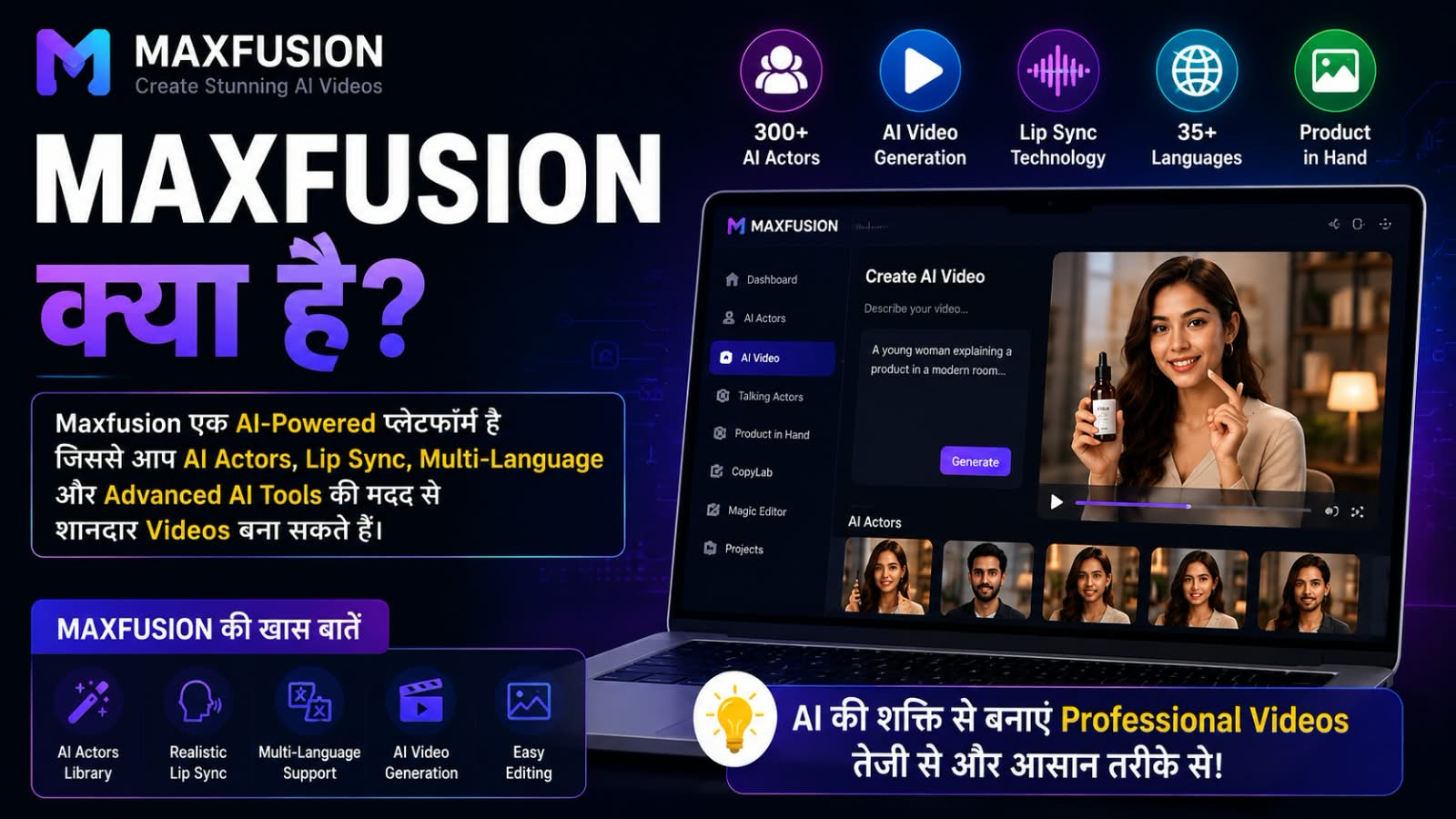
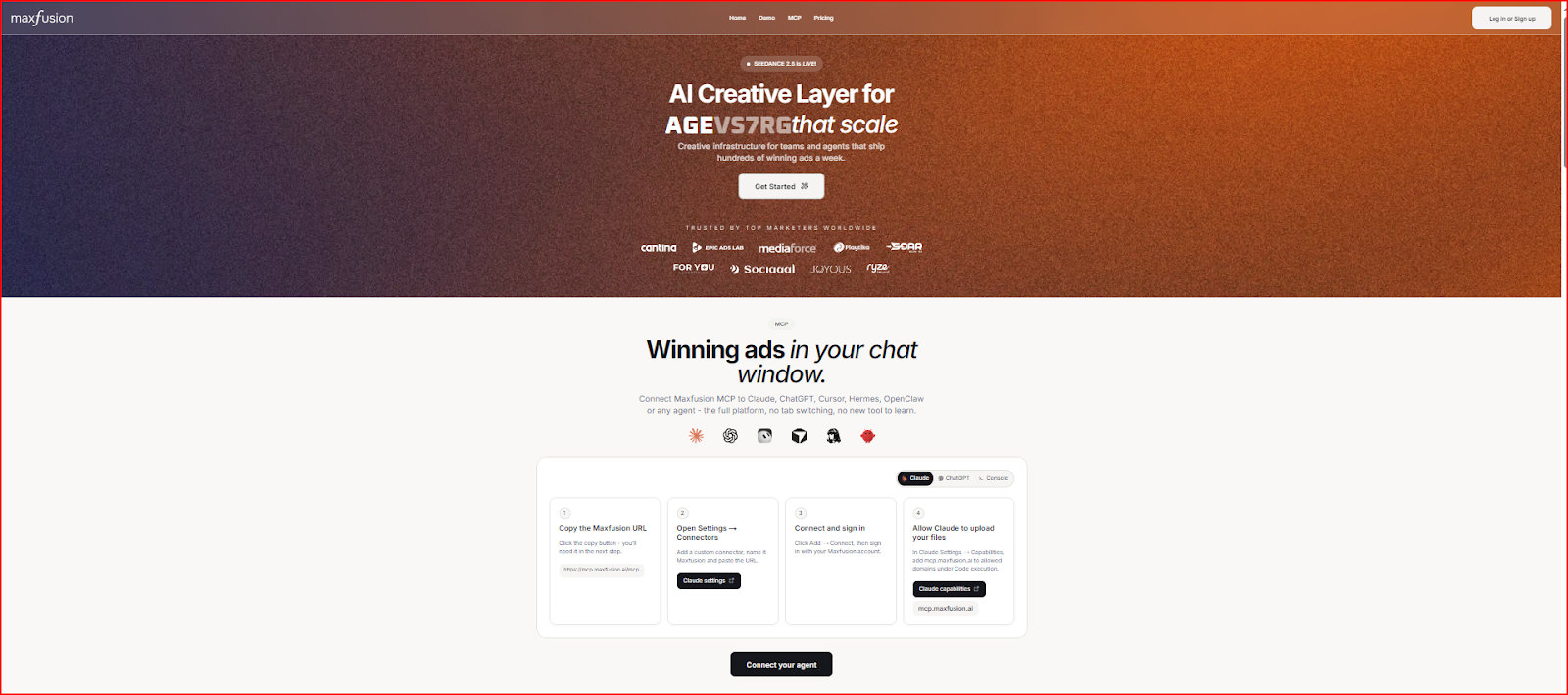
Maxfusion AI एक AI-powered creative platform है जिसे खास तौर पर brands, marketers और advertising teams के लिए बनाया गया है।
इसका उद्देश्य केवल एक AI वीडियो बनाना नहीं है। Platform research से लेकर idea generation, AI image और video generation, editing और advertising creative तैयार करने तक की प्रक्रिया को एक जगह लाने की कोशिश करता है। Maxfusion के अनुसार, इसके Flows system में competitor research, trend analysis, ideation, image generation, video generation और final compositing को एक workflow में जोड़ा जा सकता है।
यानी अगर कोई business लगातार Facebook, Instagram या दूसरी advertising platforms के लिए नए creatives बनाना चाहता है, तो Maxfusion AI उसके लिए ज्यादा relevant हो सकता है।
Maxfusion AI के प्रमुख Features
1. AI Actors और Talking Actors
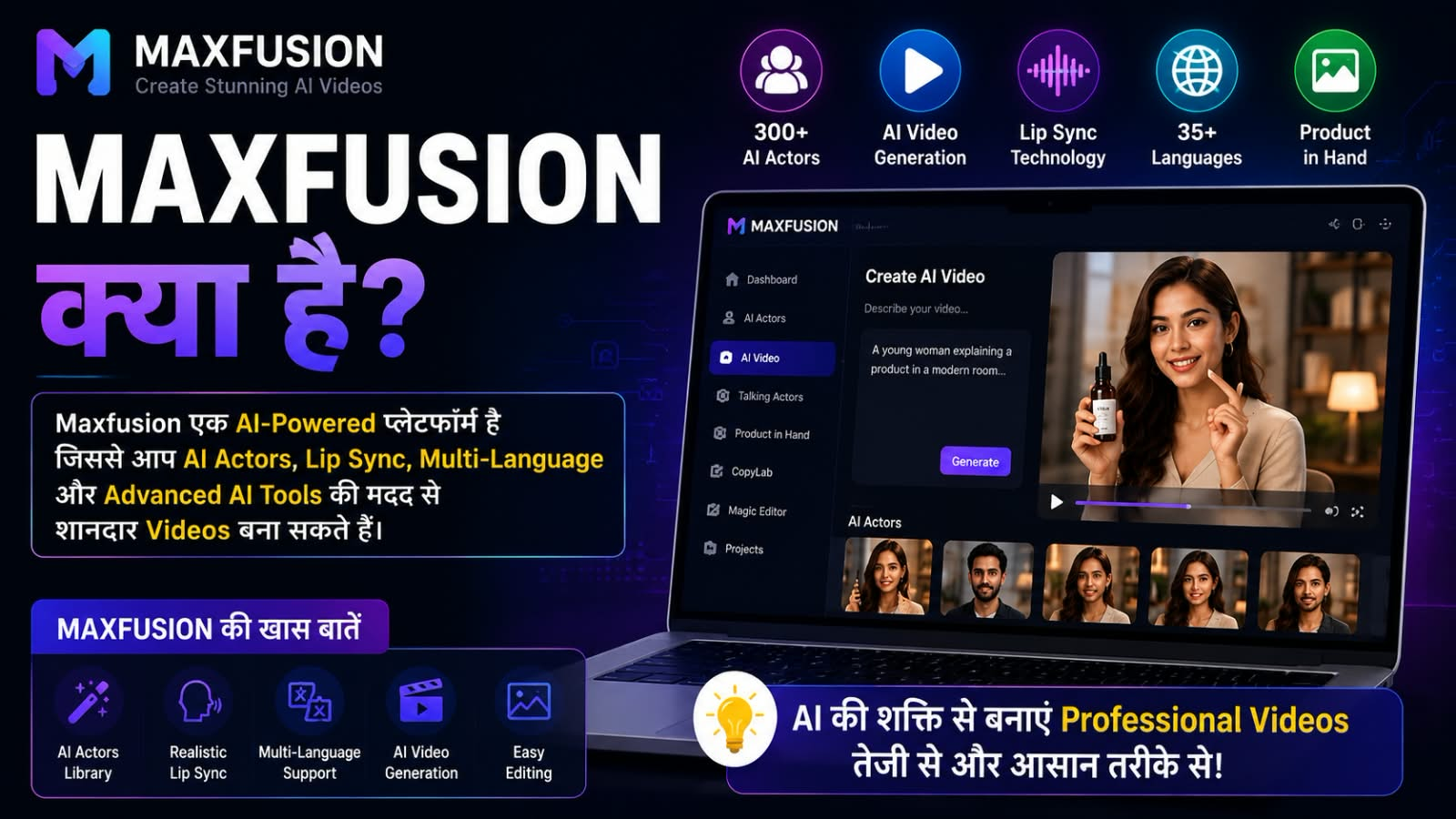
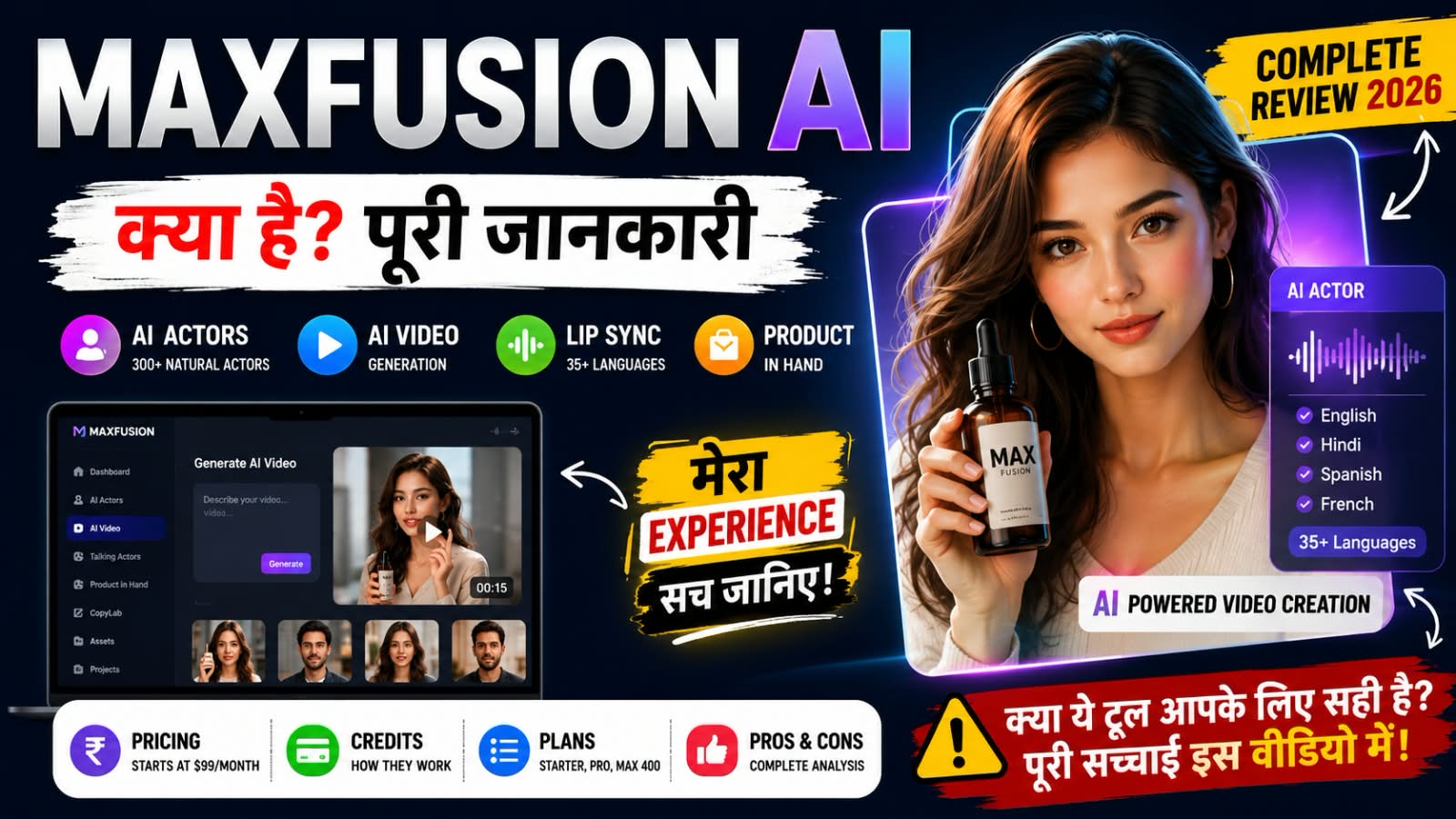
Maxfusion AI का सबसे interesting feature इसका AI Actors system है। Maxfusion की current pricing page के अनुसार, platform पर 300+ natural AI actors उपलब्ध हैं। इन AI actors का इस्तेमाल UGC-style advertisements और talking videos बनाने के लिए किया जा सकता है।
आप actor select करके अपना script डाल सकते हैं और उसके आधार पर AI-generated talking video तैयार कर सकते हैं। इसके अलावा platform में voice customization और अलग-अलग creative styles के साथ काम करने के options भी मिलते हैं।
मेरे हिसाब से यह feature उन brands और marketers के लिए खास तौर पर उपयोगी हो सकता है जिन्हें बार-बार अलग-अलग actors के साथ advertising creatives बनाने होते हैं।
2. AI Video Generation
Maxfusion AI में कई AI video models को एक ही platform पर access करने की सुविधा दी गई है।
Current pricing page पर Seedance, Kling, Veo, Sora और दूसरे video models की availability दिखाई गई है। Model availability और usage limits plan के अनुसार अलग हो सकते हैं।
इसलिए Maxfusion को केवल एक single AI video model की तरह देखना सही नहीं होगा। यह कई creative-generation tools को एक platform में जोड़ने की कोशिश करता है।
3. Hyper-realistic Lip Sync
AI-generated talking videos में lip sync काफी महत्वपूर्ण होता है।
अगर व्यक्ति के होंठ और आवाज एक-दूसरे से ठीक से match नहीं करते, तो video artificial दिखाई दे सकता है। Maxfusion अपने Talking Actors feature में multilingual lip-sync और अलग-अलग emotions के साथ AI actors generate करने की सुविधा बताता है।
मेरे हिसाब से UGC-style advertising बनाने वालों के लिए यह इसका एक useful feature है।
4. 35+ Languages
अगर किसी brand को अलग-अलग countries के लिए एक ही advertisement को localize करना है, तो multilingual support काफी काम आ सकता है। Maxfusion अपनी website पर 35+ languages में AI ads को generate और localize करने की सुविधा बताता है। इसका मतलब है कि एक advertising concept को अलग-अलग language markets के लिए adapt करना आसान हो सकता है।
5. Product in Hand
एक और interesting feature Product in Hand है।
इसमें AI actor आपके product को hold, wear या interact करता हुआ दिखाया जा सकता है। इसके लिए product image upload करके AI actor को product के साथ creative में इस्तेमाल किया जा सकता है।
E-commerce brands के लिए यह feature काफी useful हो सकता है, खासकर जब उन्हें product-focused UGC advertisements बनाने हों।
6. CopyLab
Maxfusion का CopyLab advertising research के लिए बनाया गया है। इसके जरिए video को analyze करके transcription और key frames जैसी information निकाली जा सकती है। इससे marketers को existing advertising creatives को समझने और उनसे ideas लेने में मदद मिल सकती है। हालांकि किसी दूसरे creator या brand के content को केवल copy करके इस्तेमाल करना सही नहीं है। Commercial use में copyright और अन्य intellectual property rights का ध्यान रखना जरूरी है।
7. Banana Clone और Magic Editor
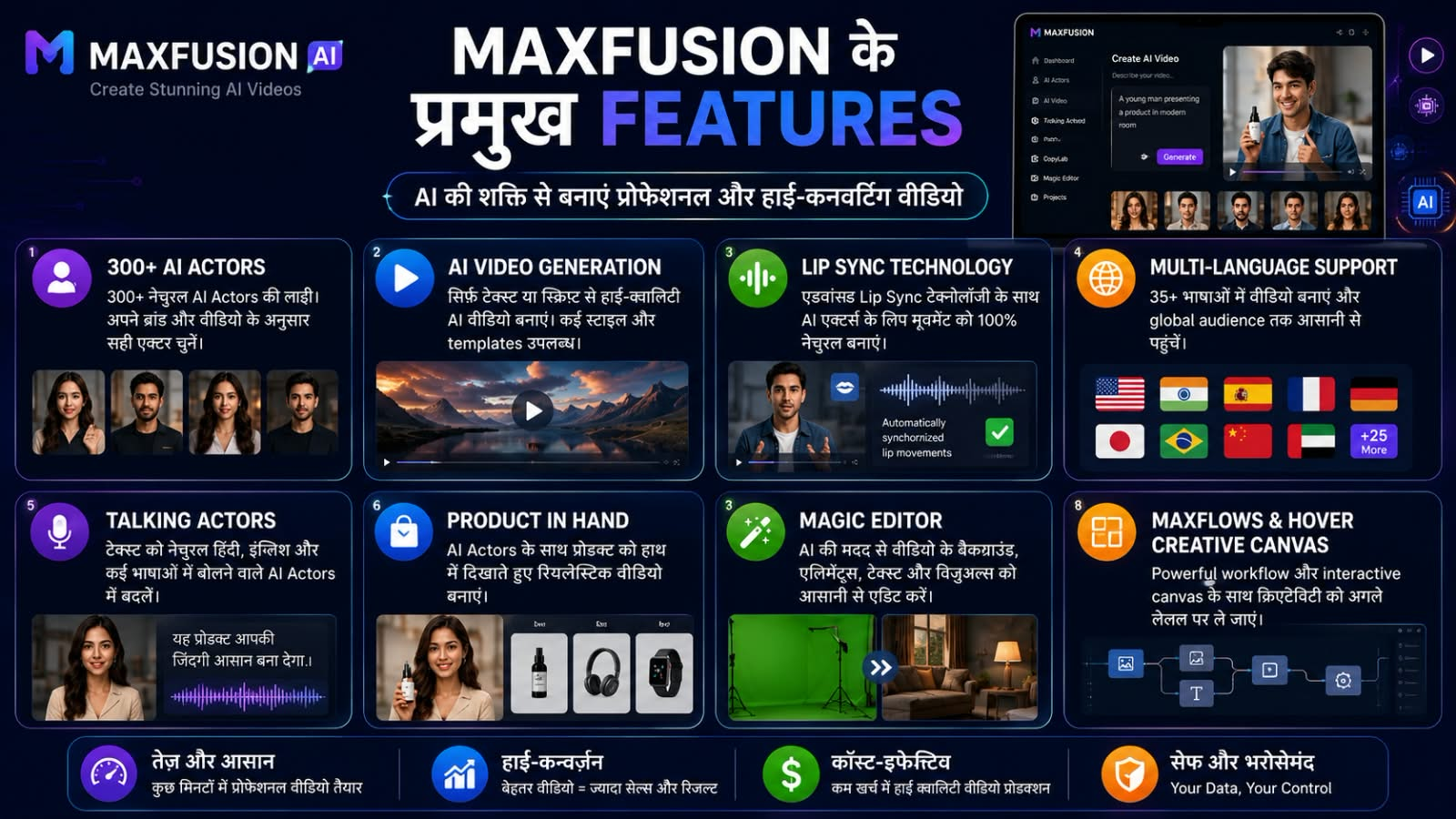
Maxfusion में Banana Clone और Magic Editor जैसे creative editing features भी हैं।
Banana Clone किसी reference image के settings, clothing और camera angle जैसी चीजों के आधार पर lookalike creative बनाने के लिए इस्तेमाल किया जा सकता है।
वहीं Magic Editor prompts के जरिए background, lighting और framing जैसी चीजों को बदलने में मदद करता है।
8. Switch Actor
अगर आपको एक ही video concept में अलग-अलग AI actors test करने हैं, तो Switch Actor feature उपयोगी हो सकता है। Maxfusion के अनुसार, यह original video की movements, gestures और expressions को दूसरे actor के साथ recreate करने में मदद करता है। Voice replacement का option भी उपलब्ध है।
Advertising में यह इसलिए useful है क्योंकि एक ही creative idea के कई variations test किए जा सकते हैं।
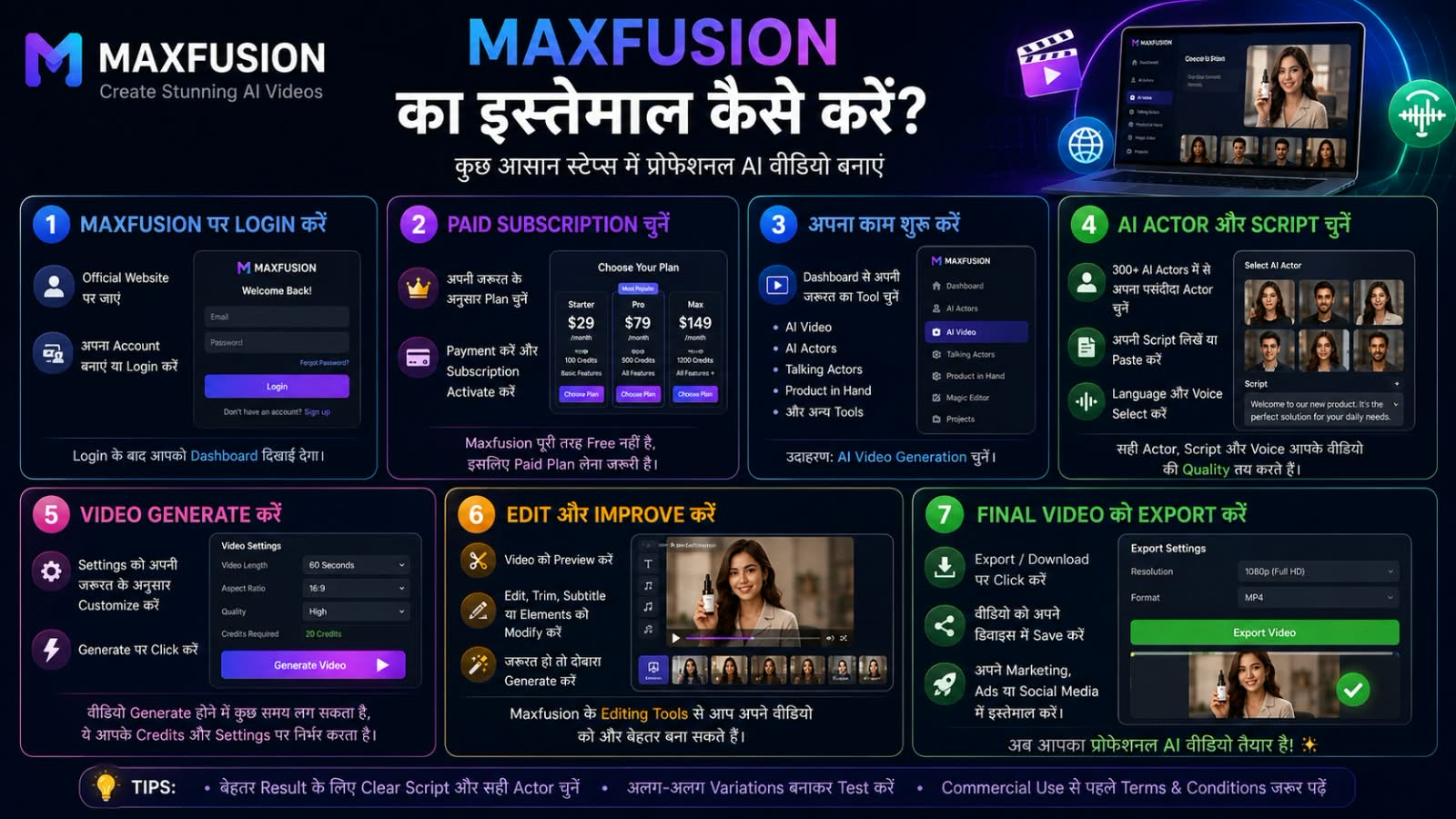
Maxfusion AI का इस्तेमाल कैसे करें?
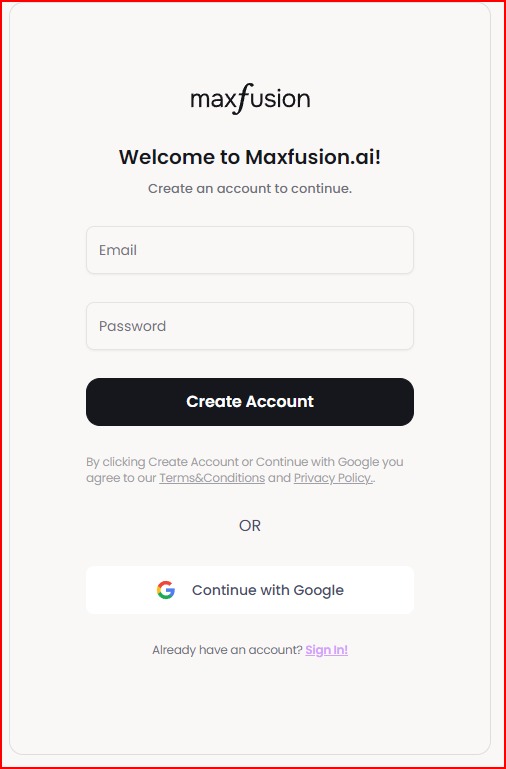
1. Maxfusion AI पर Login करें
2. Paid Subscription चुन
3. अपना काम शुरू करें
4. AI Actor और Script चुनें
5. Video Generate और Edit करें
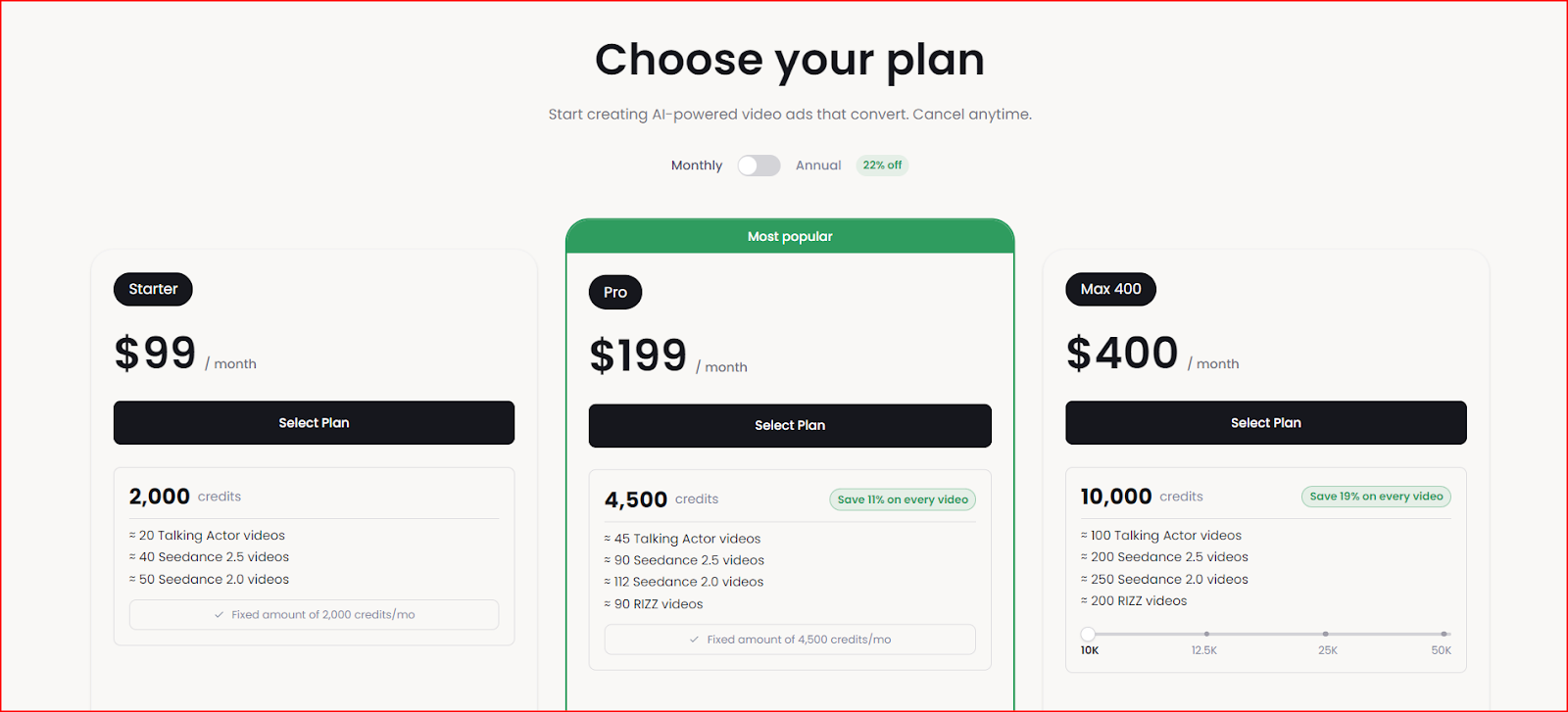
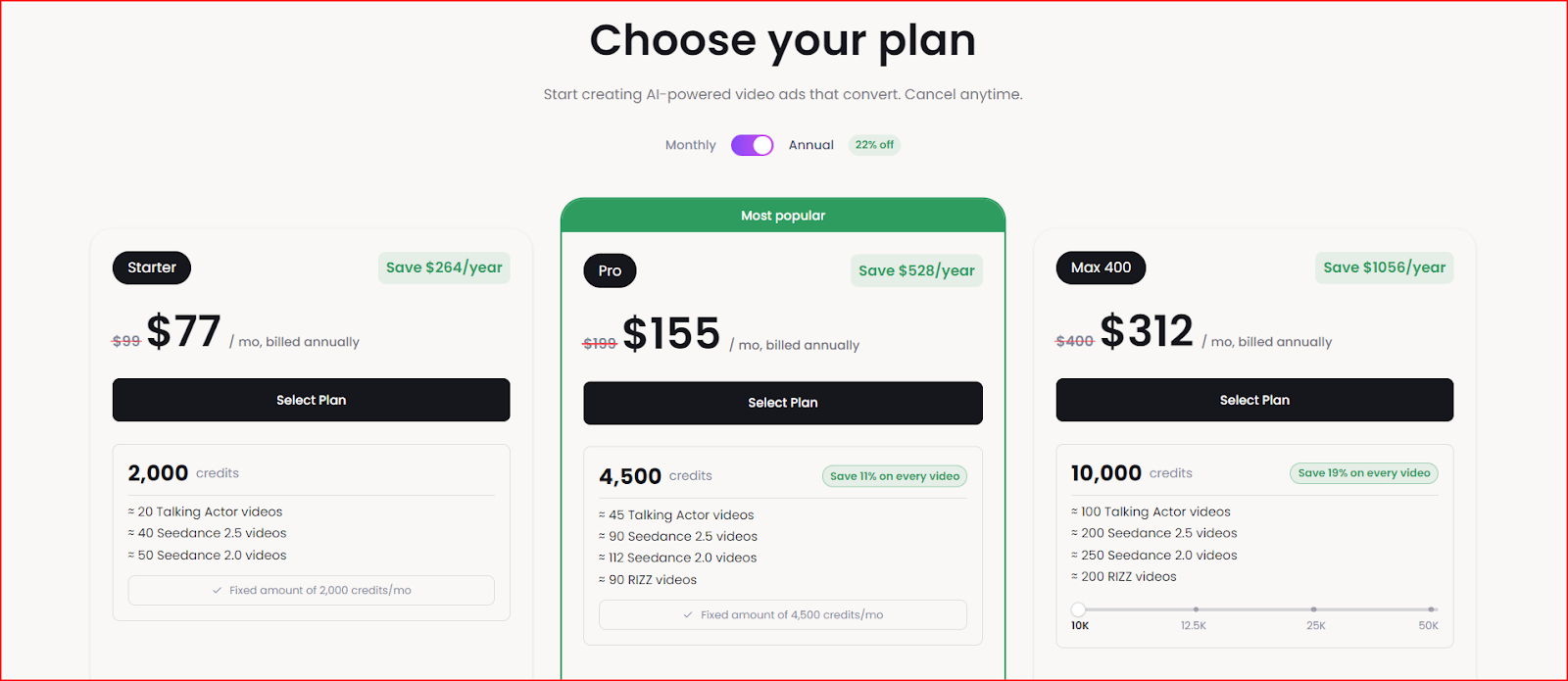
Maxfusion AI Pricing और Plans
Plan कीमत Credits
Starter $99/month 2,000
Pro $199/month 4,500
Max 400 $400/month 10,000
Enterprise Custom Custom
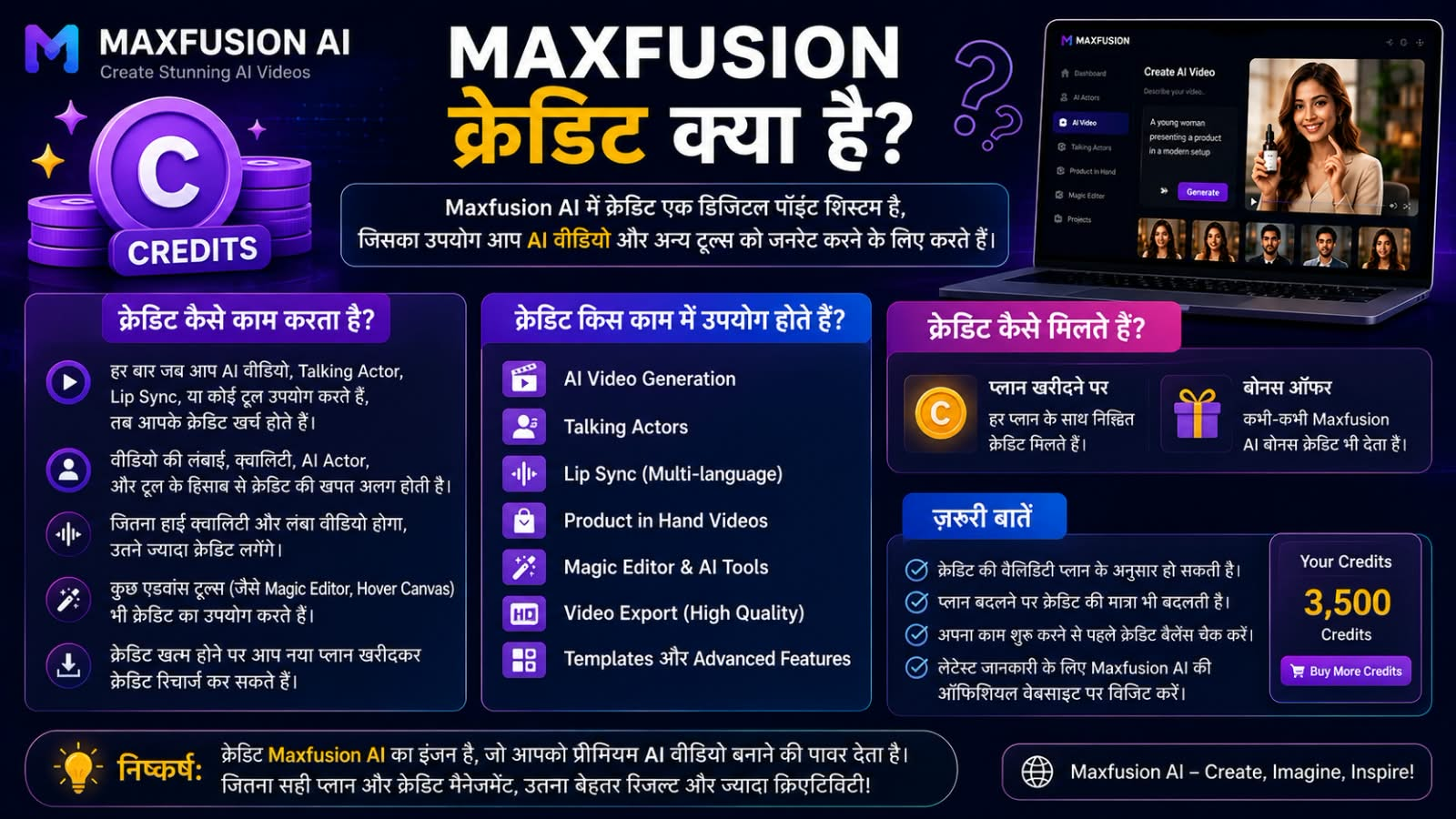
Maxfusion AI में Credits क्या हैं?
Credits को आप Maxfusion AI की usage currency समझ सकते हैं। Video, image, audio और दूसरे chargeable actions के लिए credits खर्च हो सकते हैं। कितने credits खर्च होंगे, यह model, resolution, duration और generation type पर निर्भर करता है।
इसलिए सिर्फ यह देखना पर्याप्त नहीं है कि किसी plan में कितने credits मिल रहे हैं। Subscription लेने से पहले यह देखना भी जरूरी है कि आपकी जरूरत के हिसाब से एक video बनाने में कितने credits खर्च होंगे।
क्या Maxfusion AI Free है?
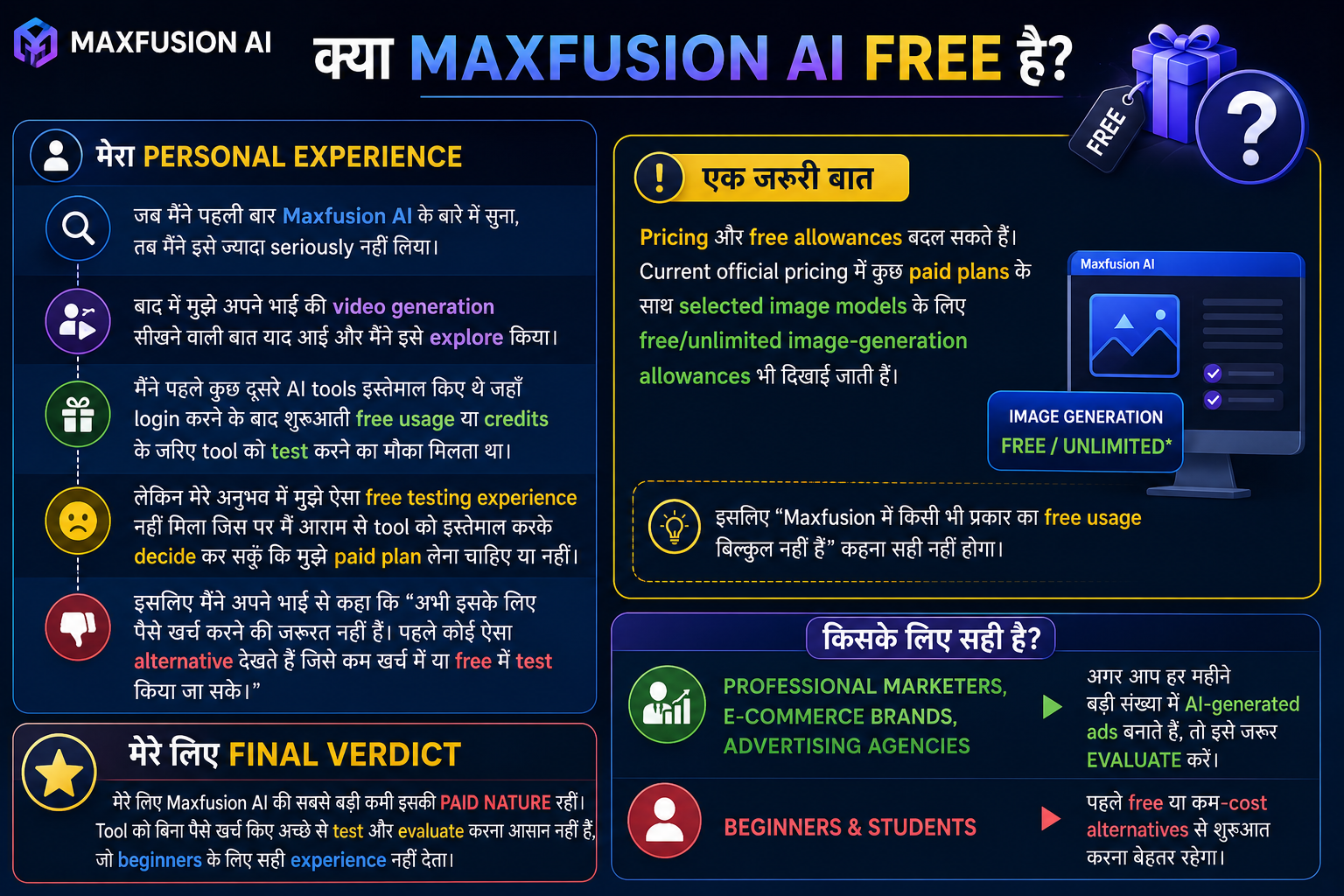
यह सवाल मैंने भी सबसे पहले देखा था। मेरे personal experience में सबसे बड़ी समस्या इसकी paid nature रही। जब मैंने पहली बार Maxfusion AI के बारे में सुना, तब मैंने इसे ज्यादा seriously नहीं लिया। लेकिन बाद में मुझे अपने भाई की video generation सीखने वाली बात याद आई और मैंने इसे explore किया।
मैंने पहले कुछ दूसरे AI tools इस्तेमाल किए थे जहाँ login करने के बाद शुरुआती free usage या credits के जरिए tool को test करने का मौका मिलता था। इसलिए मुझे उम्मीद थी कि Maxfusion में भी beginner के लिए ऐसा experience मिलेगा।
लेकिन मेरे अनुभव में मुझे ऐसा free testing experience नहीं मिला जिस पर मैं आराम से tool को इस्तेमाल करके decide कर सकूँ कि मुझे paid plan लेना चाहिए या नहीं।
इसलिए मैंने अपने भाई से कहा कि “अभी इसके लिए पैसे खर्च करने की जरूरत नहीं है। पहले कोई ऐसा alternative देखते हैं जिसे कम खर्च में या free में test किया जा सके।
यही मेरे लिए Maxfusion AI की सबसे बड़ी कमी रही।
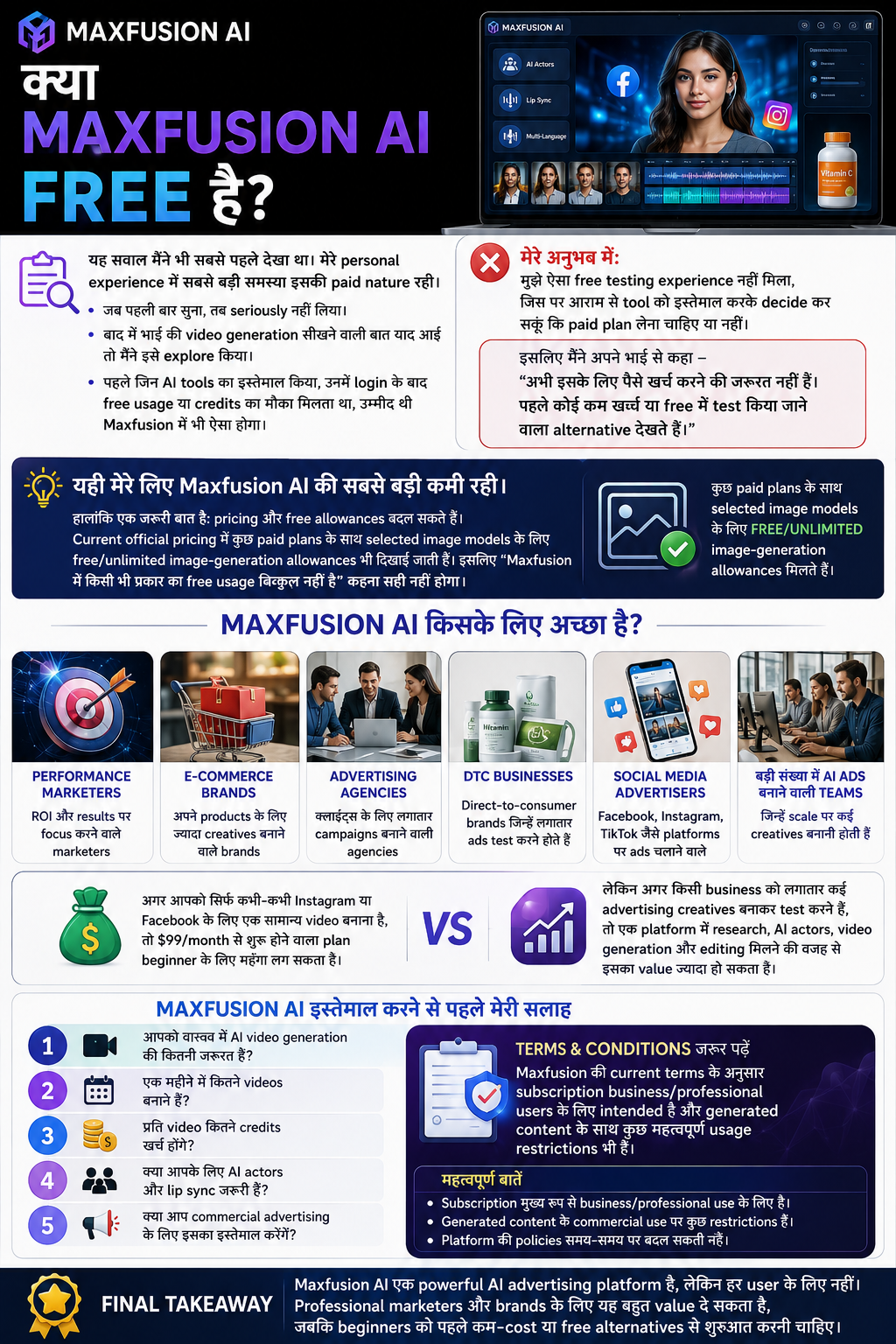
हालांकि एक जरूरी बात है: pricing और free allowances बदल सकते हैं। Current official pricing में कुछ paid plans के साथ selected image models के लिए free/unlimited image-generation allowances भी दिखाई जाती हैं। इसलिए “Maxfusion में किसी भी प्रकार का free usage बिल्कुल नहीं है” कहना सही नहीं होगा।
Maxfusion AI किसके लिए अच्छा है?
मेरे हिसाब से Maxfusion AI इन users के लिए ज्यादा useful है:
Performance marketers
E-commerce brands
Advertising agencies
DTC businesses
Social media advertisers
बड़ी संख्या में AI ads बनाने वाली teams
अगर आपको सिर्फ कभी-कभी Instagram या Facebook के लिए एक सामान्य video बनाना है, तो $99/month से शुरू होने वाला plan beginner के लिए महंगा लग सकता है।
लेकिन अगर किसी business को लगातार कई advertising creatives बनाकर test करने हैं, तो एक platform में research, AI actors, video generation और editing मिलने की वजह से इसका value ज्यादा हो सकता है।
Maxfusion AI इस्तेमाल करने से पहले मेरी सलाह
मेरे experience के आधार पर मैं beginner को सीधे paid subscription लेने की सलाह नहीं दूंगा।
पहले यह देखें:
1. आपको वास्तव में AI video generation की कितनी जरूरत है
2. एक महीने में कितने videos बनाने हैं
3. प्रति video कितने credits खर्च होंगे।
4. क्या आपके लिए AI actors और lip sync जरूरी हैं?
5. क्या आप commercial advertising के लिए इसका इस्तेमाल करेंगे?
इसके अलावा Terms & Conditions को जरूर पढ़ें। Maxfusion की current terms के अनुसार subscription business/professional users के लिए intended है और generated content के साथ कुछ महत्वपूर्ण usage restrictions भी हैं।
Maxfusion AI Review: मेरा Final Verdict
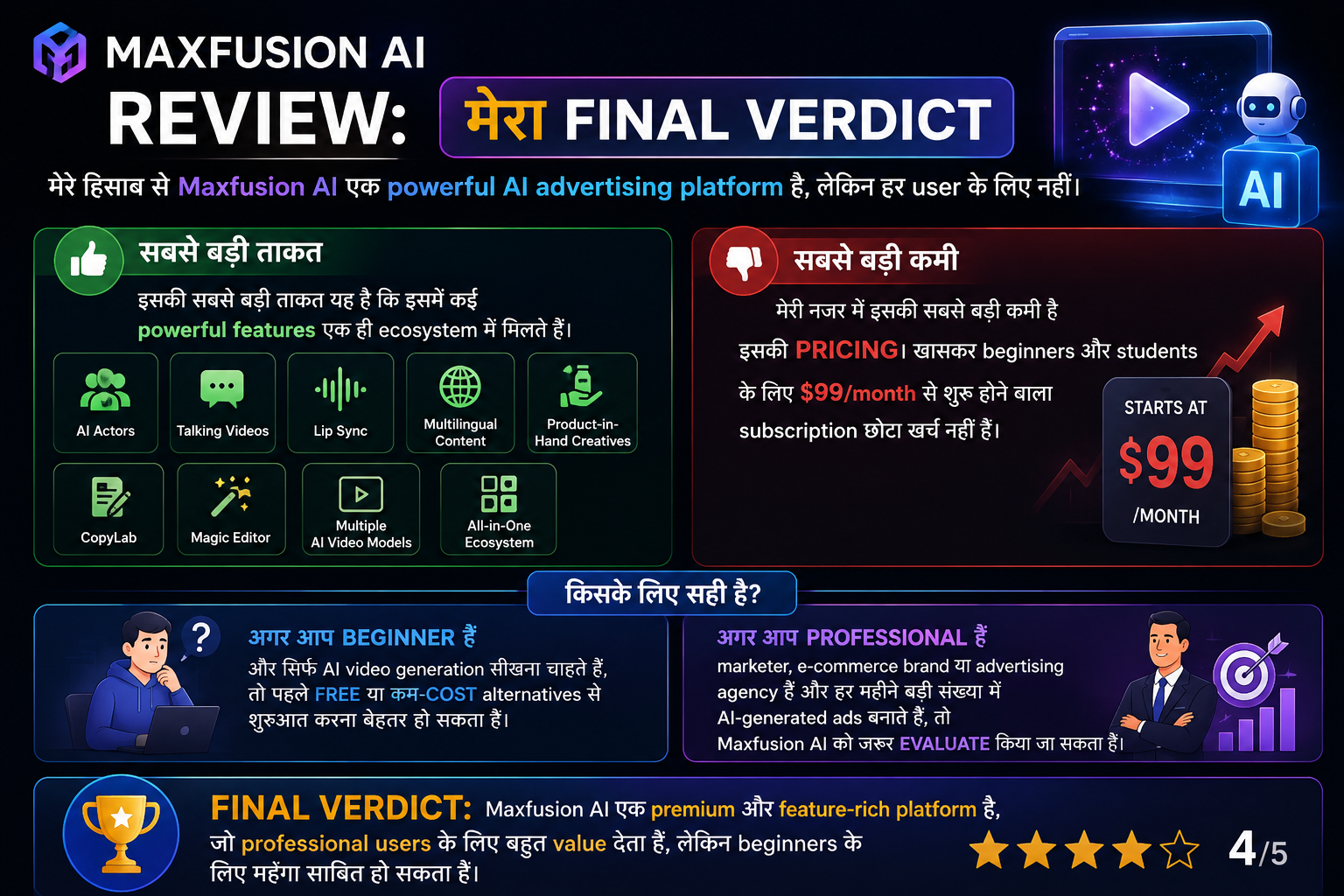
मेरे हिसाब से Maxfusion AI एक powerful AI advertising platform है, लेकिन हर user के लिए नहीं।
इसकी सबसे बड़ी ताकत यह है कि इसमें AI actors, talking videos, lip sync, multilingual content, product-in-hand creatives, CopyLab, Magic Editor और कई AI video models जैसे features एक ही ecosystem में मिलते हैं।
लेकिन मेरी नजर में इसकी सबसे बड़ी कमी pricing है। खासकर beginners और students के लिए $99/month से शुरू होने वाला subscription छोटा खर्च नहीं है।
अगर आप beginner हैं और सिर्फ AI video generation सीखना चाहते हैं, तो पहले free या कम-cost alternatives से शुरुआत करना बेहतर हो सकता है।
लेकिन अगर आप एक professional marketer, e-commerce brand या advertising agency हैं और हर महीने बड़ी संख्या में AI-generated ads बनाते हैं, तो Maxfusion AI को जरूर evaluate किया जा सकता है।
Maxfusion AI FAQ
1. Maxfusion AI क्या है?
Maxfusion AI एक AI creative platform है जो खास तौर पर advertising और UGC-style video creatives बनाने के लिए बनाया गया है। इसमें AI actors, video generation, lip sync, editing और advertising research जैसे features शामिल हैं।
2. क्या Maxfusion AI free है?
Maxfusion का मुख्य subscription model paid है। Current pricing में Starter plan $99/month से शुरू होता है। कुछ paid plans में selected image models के लिए free allowances भी शामिल हैं।
3. Maxfusion AI की pricing कितनी है?
Current official pricing के अनुसार Starter $99/month, Pro $199/month और Max 400 $400/month हैं। Enterprise pricing custom है।
4. Maxfusion AI में कितने AI Actors हैं?
Maxfusion की current pricing page के अनुसार 300+ natural AI actors उपलब्ध हैं। इनका इस्तेमाल UGC-style advertisements और talking videos बनाने के लिए किया जा सकता है।
नोट: Maxfusion के अलग Talking Actors page पर actor count अलग तरीके से प्रदर्शित हो रहा है, इसलिए संख्या समय के साथ बदल सकती है। Subscription लेने से पहले official pricing page पर current information check करना बेहतर है।
5. क्या Maxfusion AI Hindi में काम करता है?
Maxfusion 35+ languages में AI ads को generate और localize करने की सुविधा बताता है। Hindi भी इसकी supported language list में शामिल है।
6. क्या Maxfusion AI beginners के लिए अच्छा है?
अगर आप केवल AI video generation सीखना चाहते हैं, तो इसकी pricing beginner के लिए ज्यादा हो सकती है। लेकिन professional advertising और high-volume creative production के लिए इसके features काफी useful हो सकते हैं।
7. Maxfusion AI में Credits क्या हैं?
Credits platform की usage currency हैं। Video, image, audio और अन्य chargeable actions में credits खर्च हो सकते हैं और cost model, resolution तथा duration के अनुसार बदल सकते हैं।
8. क्या Maxfusion AI से commercial videos बनाए जा सकते हैं?
Maxfusion की terms generated videos के लिए license देती हैं, लेकिन साथ ही कई restrictions और user responsibilities भी लागू होती हैं। Commercial use से पहले current Terms & Conditions पढ़ना जरूरी है।
निष्कर्ष
इस review में मैंने Maxfusion AI की official website, current pricing और Terms & Conditions के साथ अपने personal testing experience को आधार बनाया है। AI models, pricing, credits और features समय के साथ बदल सकते हैं, इसलिए subscription लेने से पहले official website पर current information जरूर check करें।
Leave a Reply